---
description: Integrating Ticketmaster for live event listings on artist pages, including API key setup and country detection.
---
# Ticketmaster
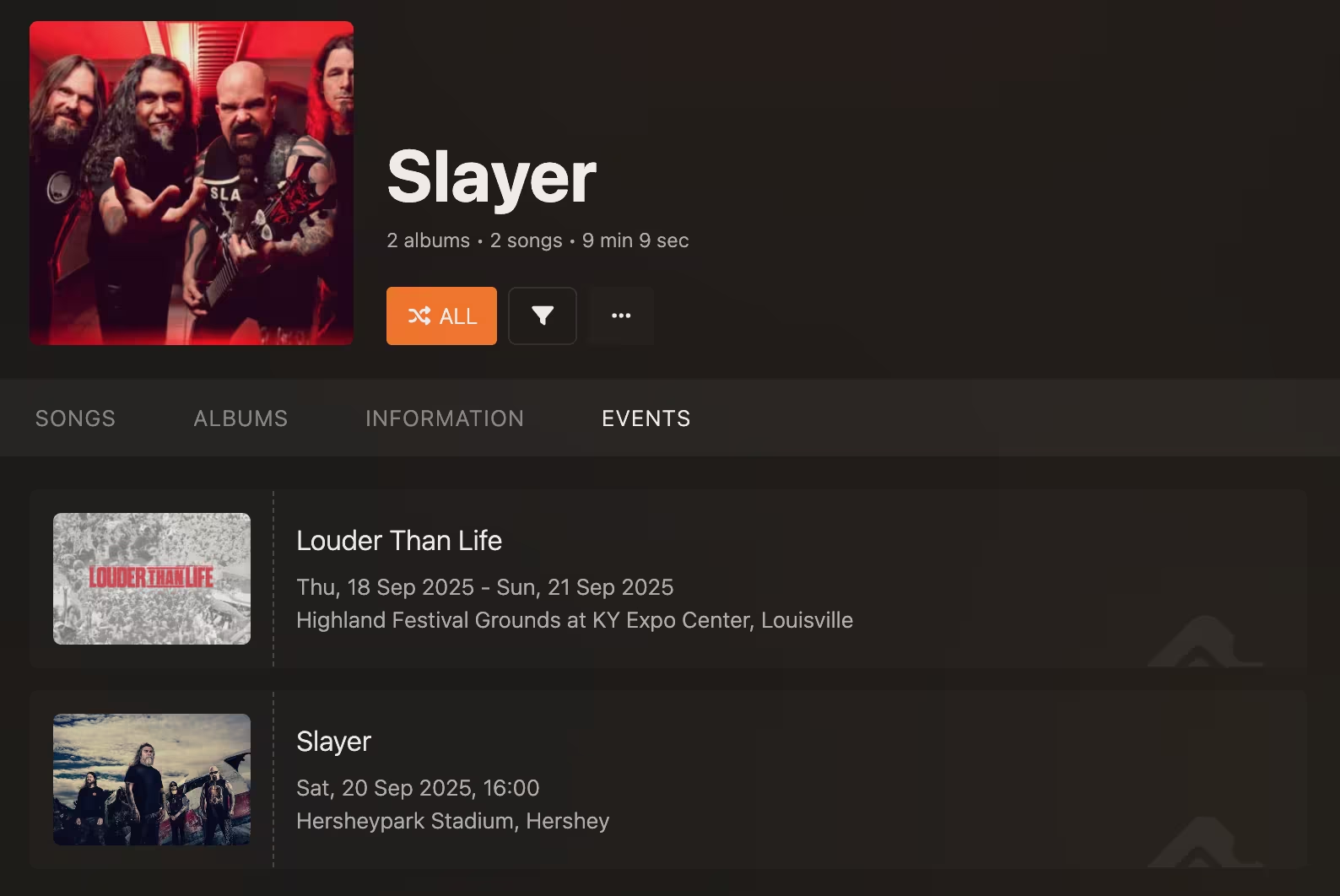
[Ticketmaster](https://www.ticketmaster.com/) is one of the most popular ticketing platforms for events, tours, and
concerts. By integrating with Ticketmaster, you can access the upcoming events in your area by going to the Events
tab found on the _Artist_ screen. Clicking on an event will take you to the corresponding webpage where you can purchase
tickets and learn more about the event.
## Setup
The only required configuration for this integration is the `TICKETMASTER_API_KEY` environment variable. To get your API
key, [create a free developer account](https://developer-acct.ticketmaster.com/user/login). A default app will be
created and approved for you, which you can find under the _My Apps_ tab. Feel free to rename it to something more
descriptive.
Default app created by Ticketmaster
Copy the Consumer Key and paste it into the `TICKETMASTER_API_KEY` environment variable in your `.env` file:
```dotenv
TICKETMASTER_API_KEY=sample-qJraSgjtTrHbdzEwyfW6yqKowcFGmFbi
```
This is all you need to get started. Reload the server, and you should see the Events tab appear on any Artist screen.
### (Slightly More) Advanced Configuration
By default, Koel will search for events in the United States. If you want to search for events in a different
country, set the `TICKETMASTER_DEFAULT_COUNTRY_CODE` environment variable in your `.env` file to that country's
[two-letter code](https://en.wikipedia.org/wiki/ISO_3166-1_alpha-2). For example, to search for events in Germany,
set the variable to `DE`.
If you want to search for events in the user's country, Koel can make use of [IPinfo](https://ipinfo.io/)'s API.
IPinfo is a popular geolocation service with a generous free ("Lite") plan. After registering
for the Lite plan, you can find your token under the _API Token_ tab.
IPinfo's API Token screen
Populate this token in the `IPINFO_TOKEN` environment variable in your `.env` file:
```dotenv
IPINFO_TOKEN=sample-52d06efe5f5b10d
```
Reload the server, and Koel will attempt to look up the user's country by sending their IP address (and only that)
to IPinfo's API. If successful, Koel will use the detected country code to search for events. If not, it will fall
back to the default country code, which in turn defaults to `US` as described above.