---
description: Creating standard and smart playlists, organizing with folders, and collaborative playlist management in Koel.
---
# Creating and Managing Playlists
Koel supports creating an unlimited number of playlists as well as organizing them into folders.
Start by clicking the button next to the "Playlists" header in the
navigation bar. You'll be provided with three options:
* "New Playlist…" brings up a dialog to create a standard playlist
* "New Smart Playlist…" brings up a dialog to create a smart playlist
* "New Folder…" brings up a dialog to create a playlist folder
Creating a **standard playlist** or **playlist folder** should be straightforward, as you only need to supply a name.
Once a playlist or playlist folder is created, you can:
* Drag and drop songs into a standard playlist to add them
* Drag and drop playlists a playlist folder to organize them. You can also drag and drop a playlist out of its folder.
For a **smart playlist**, you can define the criteria that determine which songs are included in the playlist,
and Koel will automatically update the playlist based on those criteria.
For example, with the criteria shown in the following screenshot:
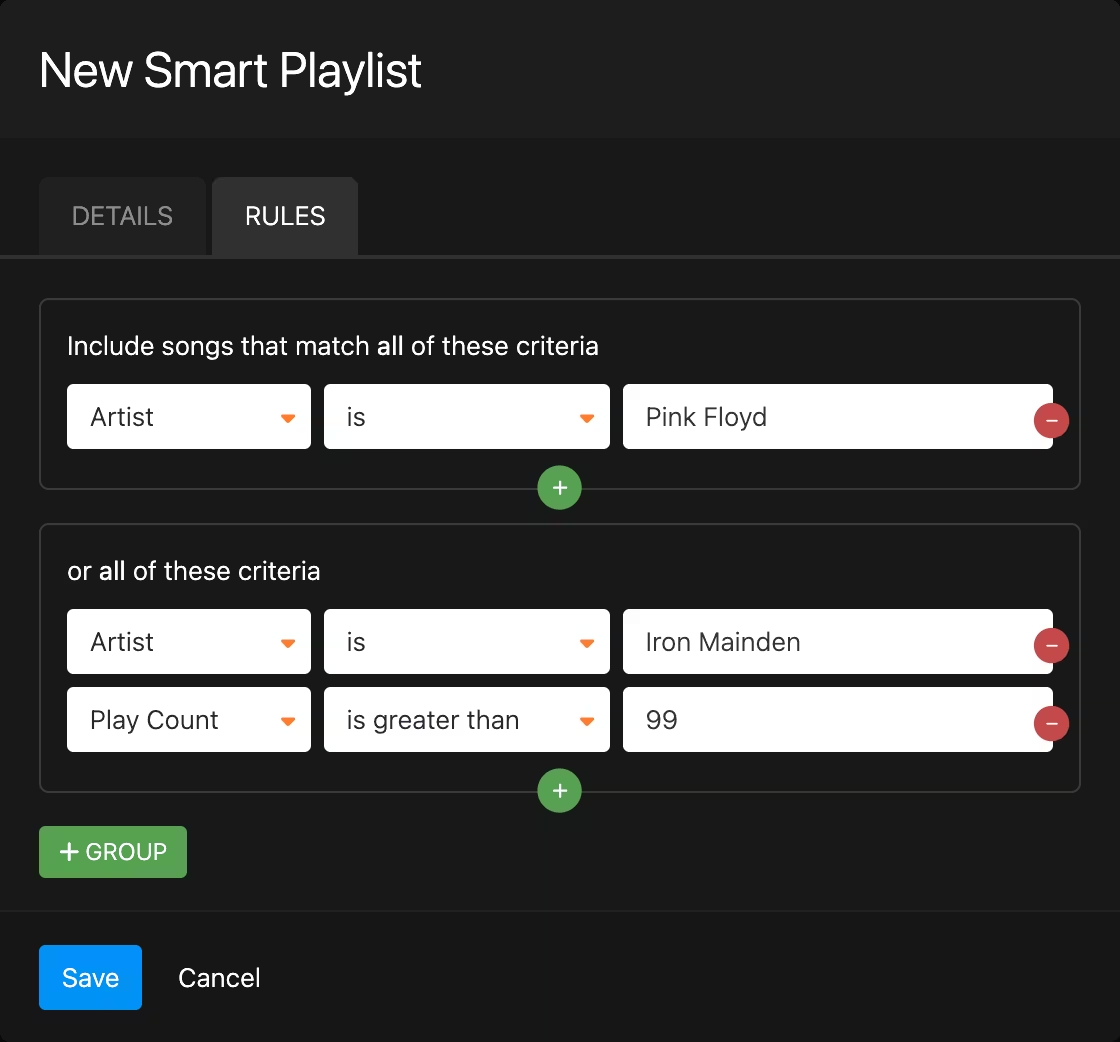 Koel will include in the playlist:
* all songs by Pink Floyd, and
* songs by Iron Maiden that have been played more than 99 times by the current user
There are a great variety of criteria to choose from, and you can combine them in any way you like, providing a powerful
tool for creating dynamic playlists.
## Collaboration
Users of Koel Plus can collaborate on playlists. See [Collaboration](../plus/collaboration.md) for more details.
Koel will include in the playlist:
* all songs by Pink Floyd, and
* songs by Iron Maiden that have been played more than 99 times by the current user
There are a great variety of criteria to choose from, and you can combine them in any way you like, providing a powerful
tool for creating dynamic playlists.
## Collaboration
Users of Koel Plus can collaborate on playlists. See [Collaboration](../plus/collaboration.md) for more details.